

In the rush of modern life, booking a cab online is no longer just about reaching from point A to point B. We always want comfort, safety, and most importantly, affordable rides. If we know how to book Ola cab, it can make our lives so much easier. Ola is trusted by millions for daily travel, outstation rides, airport transfers and to reach office on time.
If you are beginner or don’t know how to book Ola cab, we guide you through the complete booking process. We will also show you smart ways to save money and how booking becomes more affordable when you use cab booking coupons and discounts at the right time.
How To Book Ola Cab Online Using Ola Cab Booking App
Your ride will start with Ola cab booking app. The app is designed to be user-friendly so every user can operate smoothly even if you are first time user. Let’s understand Ola cab booking process into simple steps so you can book confidently without any stress.
Step 1: Download and log in to Ola App
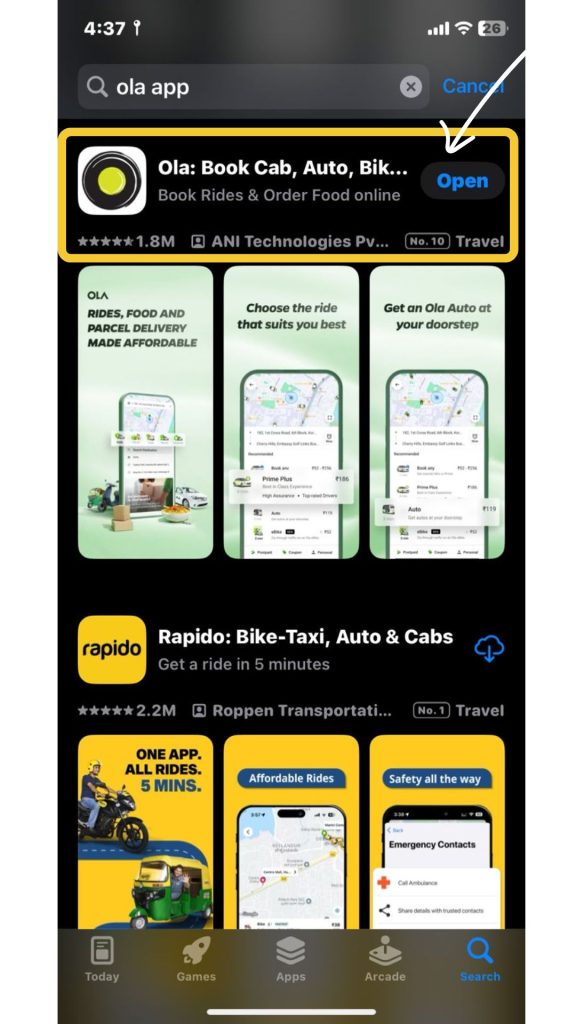
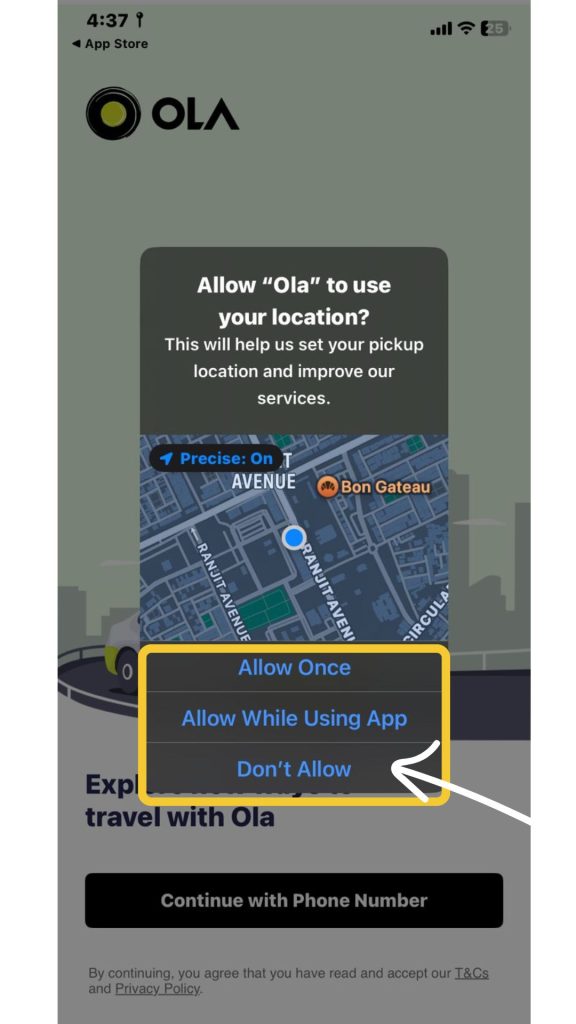
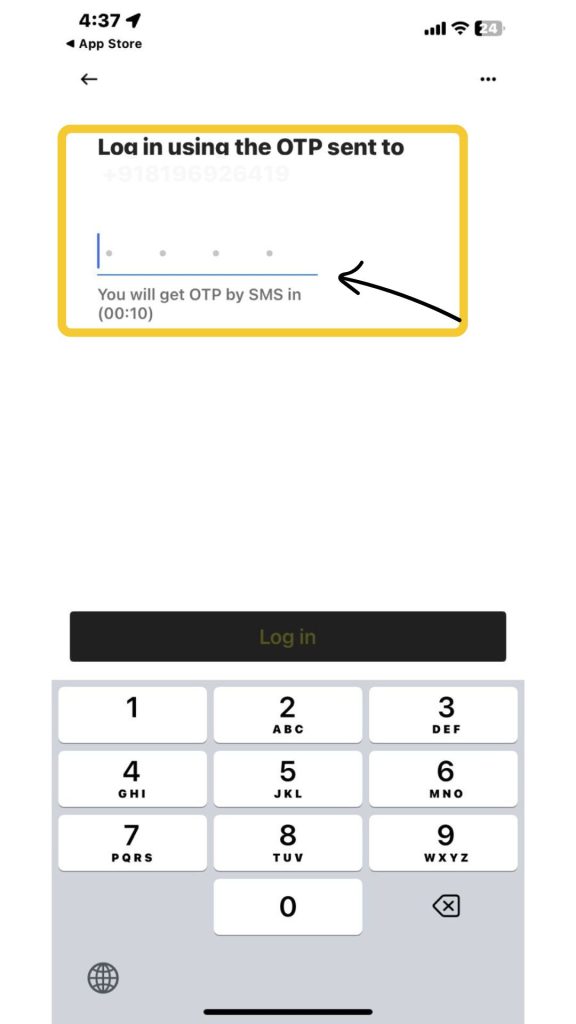
Without Ola cab booking app, you can’t book your ride. First thing you need to do is:
- Open your App Store or Google Play Store to download Ola cab booking app.
- Once app is installed on your mobile device, open the app and log in with your registered mobile number.
- You will receive an OTP to verify your account.
Step 2: Enter Your Pickup and Drop Location
After verifying your mobile number, allow all permissions that app requires such as location access. This step is important in the Ola cab booking steps as it determines availability and pricing.
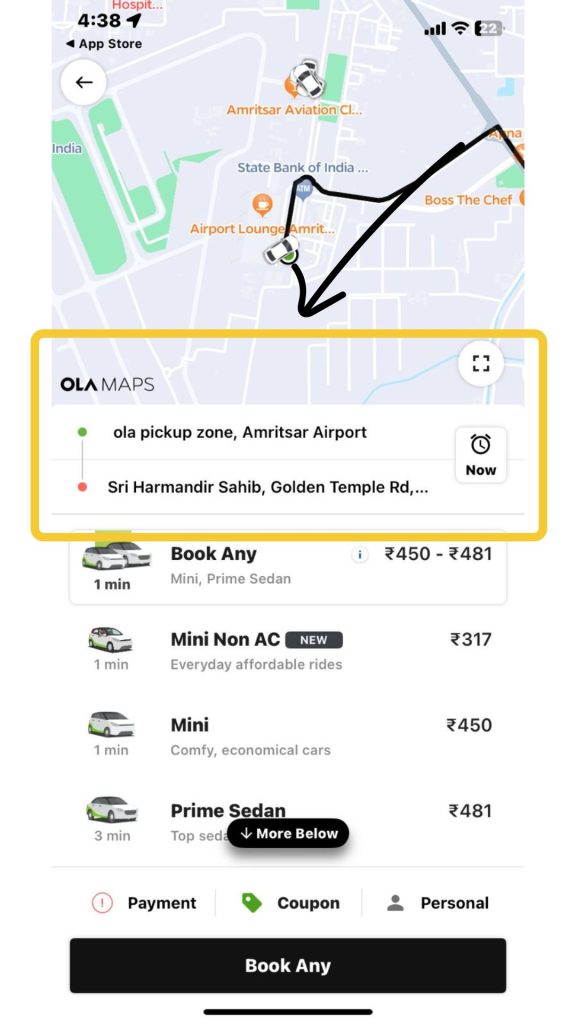
- Enter your pickup point and destination location manually to reach your exact location.
- Then, Ola automatically detects nearby drivers once your locations are set.
Step 3: Select Your Cab Choice
When you enter your location, app shows different available cab options like Mini, Prime, Auto depending on your route.
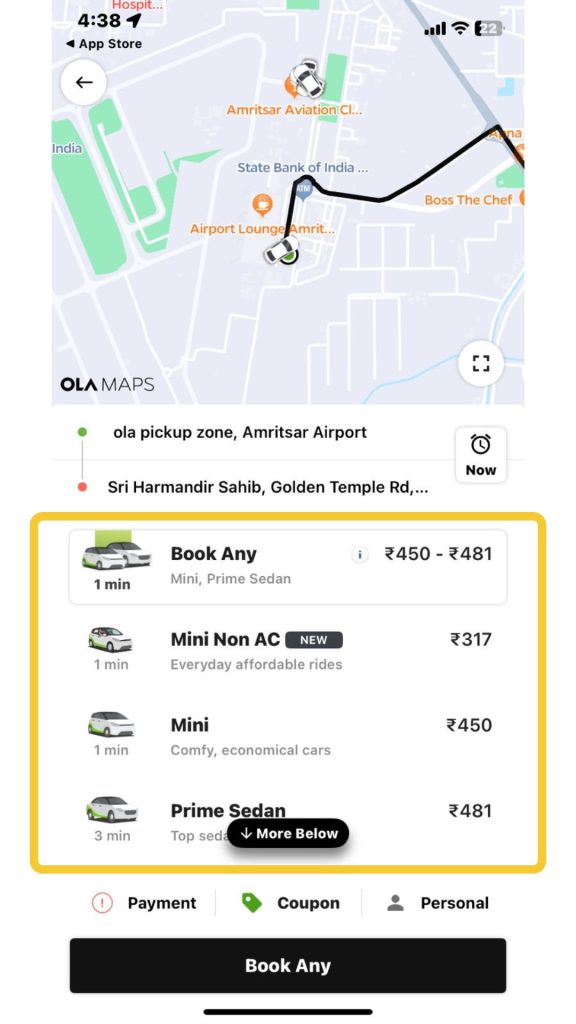
- Choose your cab according to your budget and requirements.
- If you are traveling solo and want to save money then go for Mini.
- If you need more comfortable ride or are traveling with family? Go for Prime Sedan or SUV.
The best cab booking app experience comes from choosing what matches your situation.
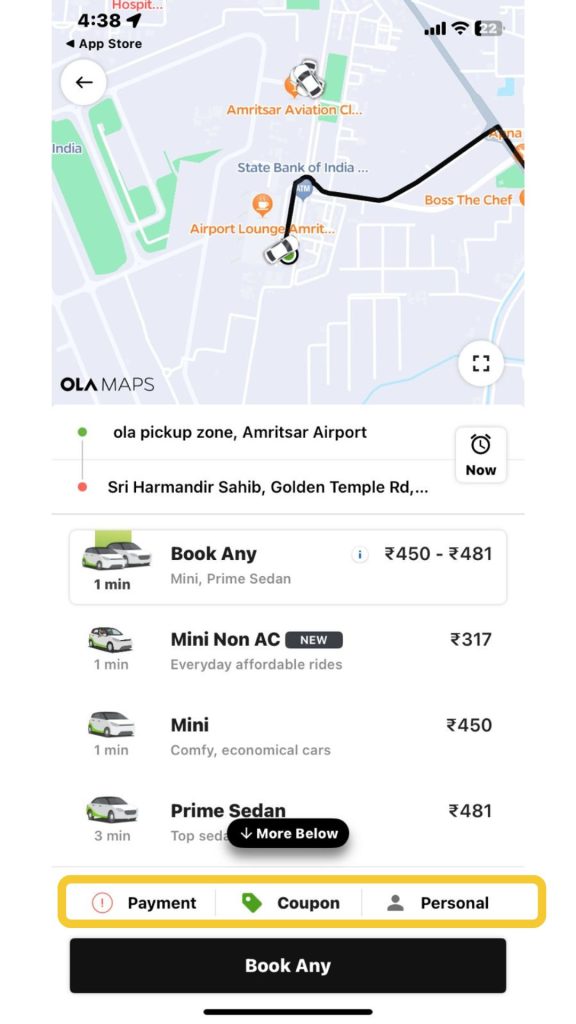
Step 4: Add Your Coupon Code Before Booking
In the rush of modern life, booking a cab online is no longer just about reaching from point A to point B. We always want comfort, safety, and most importantly, affordable rides. If we know how to book Ola cab, it can make our life so much easier. Ola is trusted by millions for daily travel, outstation rides, airport transfers and to reach office on time.
If you are beginner or don’t know how to book Ola cab, we guide you the complete booking process. We will also show you smart ways to save money and how booking becomes more affordable when you use cab booking coupons and discounts at the right time.
Step 5: Confirm Your Booking and Track Your Ride
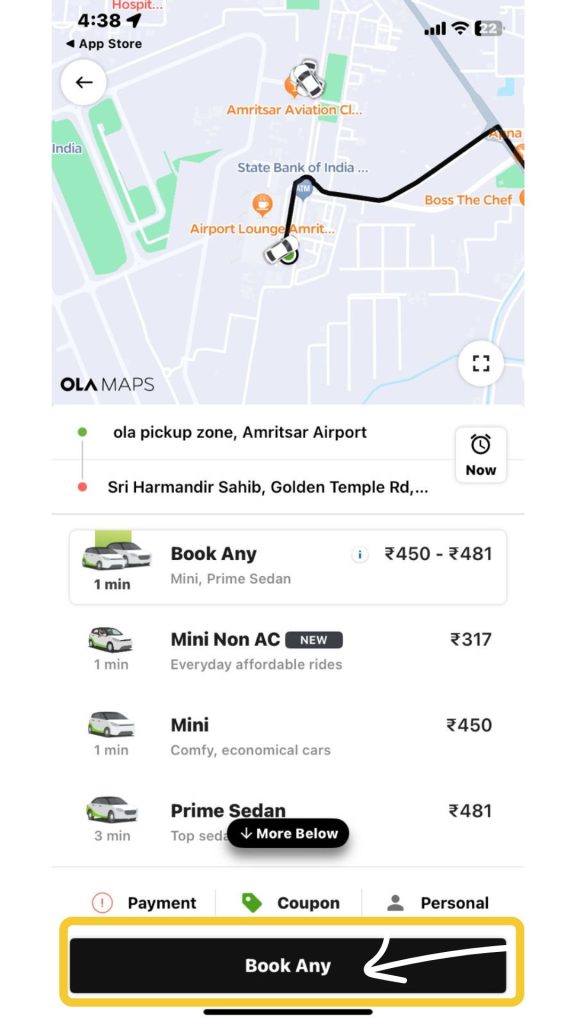
Once you decide on your cab and fare, tap to “Confirm Booking.”
- You can track the location of your driver to see estimated arrival time.
- You can also contact your driver so you know exactly when to step outside.
- Once your drive arrives, you will get notification on your registered mobile number.
- When you reach your destination, you can pay with cash or via online payment.
How To Book Ola Cab in Advance (Schedule Your Ride)
Life gets busy and sometimes we need to plan transportation ahead of time. Ola lets you schedule your ride in advance. Lets check how to book Ola cab in advance.
When Should You Schedule Your Ride?
Ola lets you schedule your ride for
- Early morning airport runs when you can not risk last minute delay
- Important business meetings where punctuality matters
- Late night returns when cab availability might be lower.
How does Advance Booking Work?
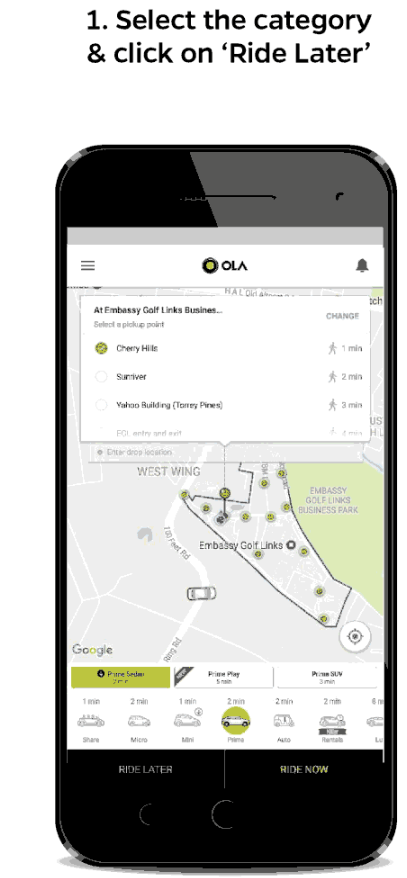
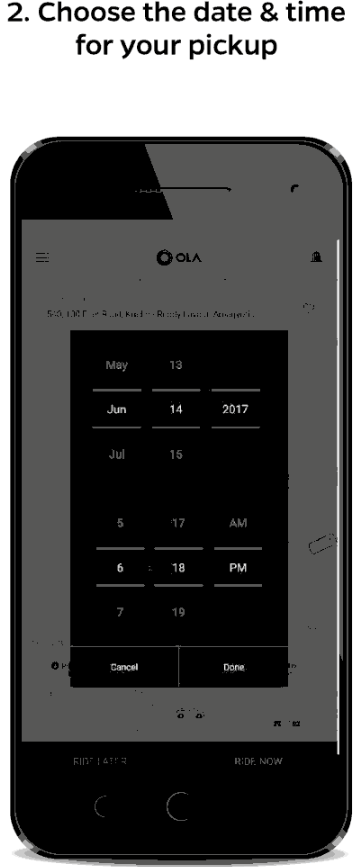
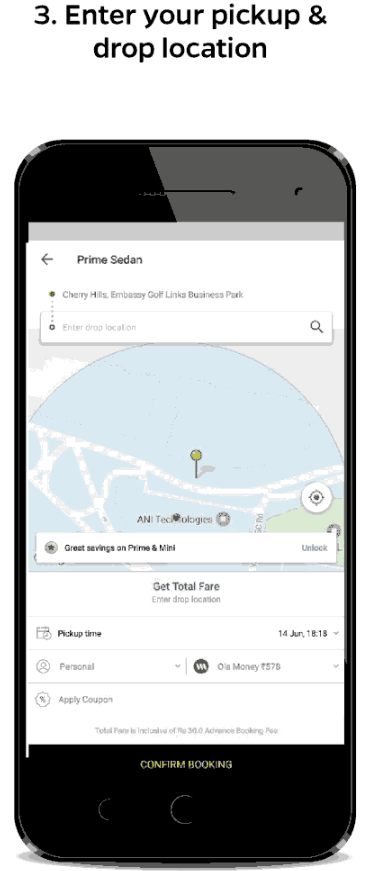
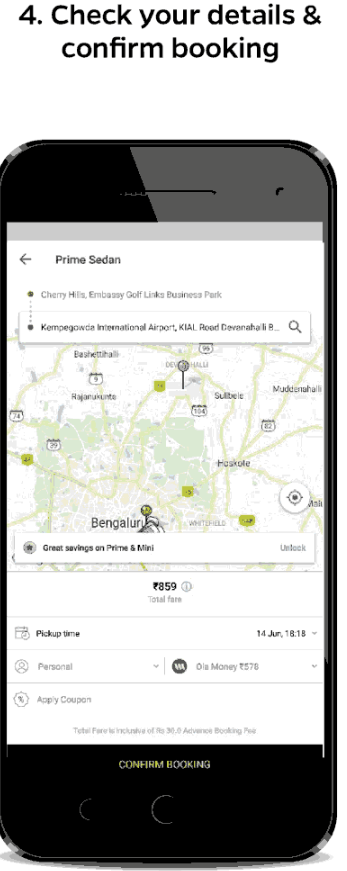
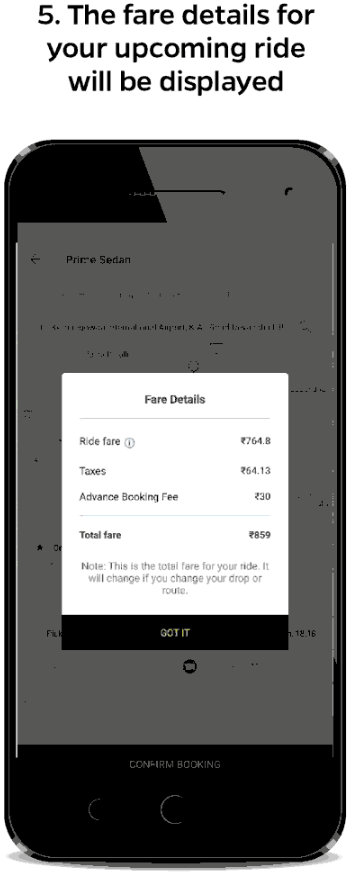
The process of advanced cab booking is similar but prices may vary due to high demand. You just need to:
- Open Ola app on your device.
- Enter your pickup and drop off location.
- Select the “Schedule Ride” option and choose date and time to schedule your ride.
- Then proceed like normal booking.
Advance booking can be costly due to guaranteed availability but it offers peace of mind.
How To Apply Ola Coupon Code While Booking Cab
Most common question asked by every user is how to apply Ola coupon code correctly. This is very simple step but sometimes new users make mistakes that can cause the promo code to fail.
Common Mistakes to Avoid:
- Do not use expired code, check its validity then apply.
- If you did not meet minimum fare condition of coupon code, your code does not work.
- Do not apply new user code on old existing user account.
- Forgetting to apply coupon code before confirming ride.
If you understand these rules that helps you use codes more effectively.
Where to Enter Ola Promo Code?
As we mentioned earlier, you will see section labeled “Apply Coupon” or “Offers.” Click on it and enter your valid Ola cab promo code. The discount will be applied instantly if the code is valid.
Ola Cab Booking Offers and Discounts for Users
Ola plays smart promotional moves to attract and retain users. They provide flat discounts and cashback on the first few rides. Here are different types of Ola cab booking offers you can take advantage of.
| Ola Cab offers and Discounts | Offer and Discount | Offer Details |
| Ola Cab Offer for New Users | Flat ₹100 Off | If you are new user, you will get flat 100 Rs off on your first ride. |
| Offer on Next 3 Rides | Flat ₹40 Off | You will get Rs 40 on your next 3 Ola rides. |
| Offer on Airport Rides | Flat ₹75 Off | You will get Rs 75 on cab rides to/from the airport. |
| Outstation First Ride Offer | Get up to ₹250 off | If you book Ola ride for outstation, you will get up to Rs 250 off on your first outstation Ola cab ride. |
| PhonePe Cashback Discount (for first 3 rides) | Get up to ₹40 cashback | You will get Rs 40 cashback on your first 3 Ola rides when you paid via PhonePe wallet. |
| Standard Chartered Bank Offer | Enjoy 10% off | Get 10% off on Ola cab rides when you pay with select Standard Chartered Bank cards. |
| Ola Prime Off | Flat ₹100 off | This is best for prime rides. |
| Airport Cab Offer | Save up to ₹100 | You will get special discount on airport cab rides. |
Now you know exactly how to book Ola cab through the simple Ola cab booking process, from downloading the app to tracking your driver in real-time. You have learned the complete Ola cab booking steps that work every single time. Before confirming your ride, check latest cab booking coupons to save money on Ola cab booking app.
Booking smart does not take extra time, you just needs right information. And now, you have it.